Instagram Auto-DM Guide: Comment-to-DM with the Official Graph API — and More Reach
How to send automatic DMs to Instagram commenters with the official Graph API, the rules you need to know, and how comment-to-DM helps your posts reach more people.
Fatma MolPublished: Updated: 8 min read
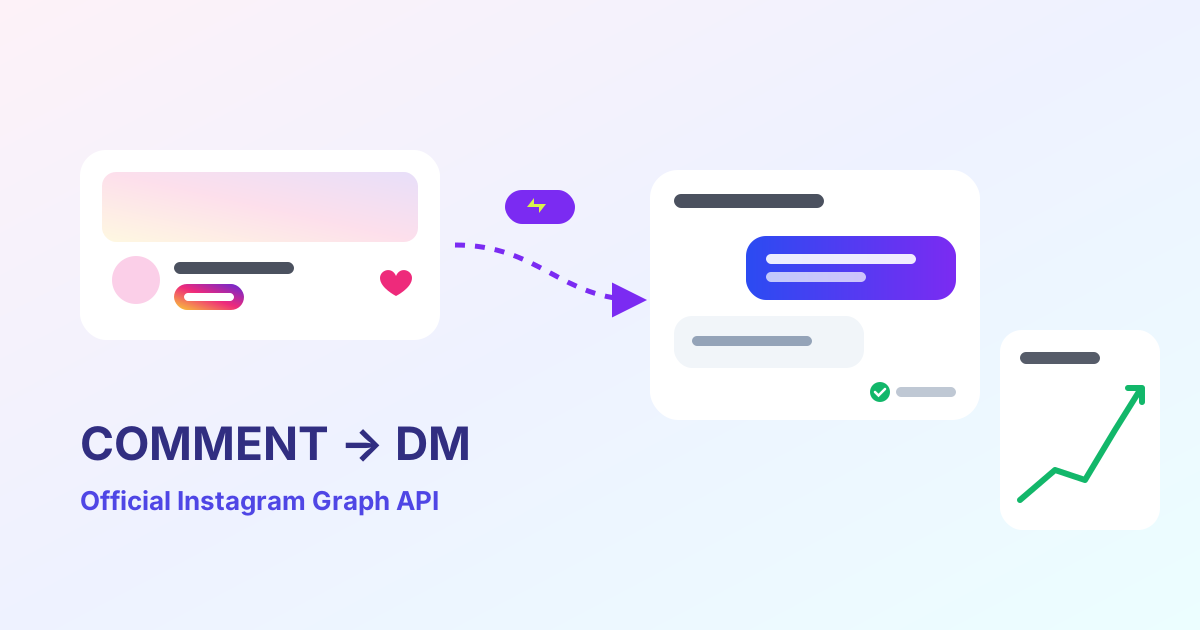
You've seen the call to action: “Comment GUIDE to get the link.” A follower comments and a DM with the link arrives seconds later. Behind that flow is Meta's official Instagram API. This guide explains how it works, the rules, and its effect on your reach.
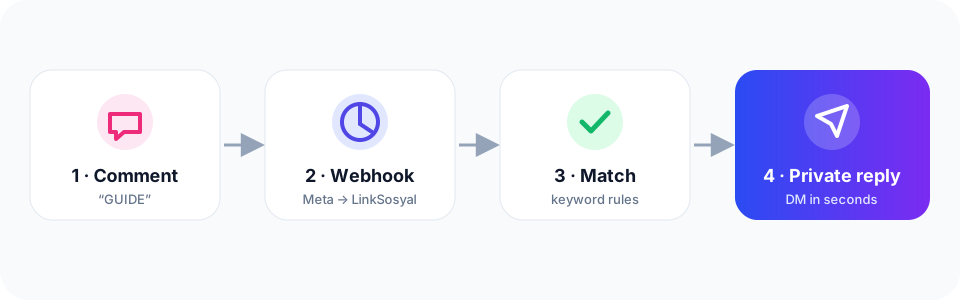
How it works with the official API
- You connect your Instagram professional account (Business or Creator) to LinkSosyal by logging in with Instagram — your password is never requested.
- Meta sends new comments to LinkSosyal via webhooks.
- Each comment is checked against your automation's keywords (word, contains, exact or starts-with).
- On a match, Instagram's private-reply feature sends a DM to the commenter; optionally a public reply is posted under the comment.
- If the person replies, you can keep the conversation going inside the standard 24-hour messaging window.
Rules you should know
- Only one private reply can be sent per comment, and it must be sent within 7 days of the comment.
- Follow-up messages after the person writes to you fall under the 24-hour window.
- Required permissions: instagram_business_basic, instagram_business_manage_comments and instagram_business_manage_messages.
- Rate limits and quotas apply; LinkSosyal queues sends and automatically slows down during viral spikes.
- Unsolicited (spam) DMs break Meta's rules: only message people who asked for something.
Tools that ask for your password, scrape screens or promise “unlimited DMs” put your account at risk. Choose a tool built on the official API.
Set it up in LinkSosyal in 5 steps
- Auto DM → new automation. Name it and pick your account; optionally choose a specific post.
- Trigger: keywords like “GUIDE, LINK” and a match mode. Type a sample comment into the tester to check.
- Optionally add a public reply pool (a few variations of “Sent to your DMs 💌”).
- Write the DM; use A/B/C variants to learn which message gets read more.
- Set limits (one DM per person, date window) and press “Create & activate”.
How it increases reach
Instagram says it ranks posts using signals such as engagement (comments, shares, saves) and your relationship with the viewer. Auto-DMs strengthen those signals naturally:
- More comments: a “comment to get it” call to action noticeably increases comments — one of the signals that helps a post be shown to more people.
- More conversations: chats in DMs build a stronger relationship, so those people see your future content more often.
- More shares and saves: delivering something valuable (a guide, a discount, a link) by DM encourages saving and forwarding.
- Measurable conversion: links in DMs are tracked, so you can see which post and which message drove sales.
Best practices
- Pick a short, clear keyword and state it in the caption and the first comment.
- Deliver the value immediately: the link, code or resource belongs in the first message.
- Vary public replies; don't repeat the same sentence.
- Keep “one DM per person” on — don't message the same person repeatedly.
- Watch success rate and popular keywords in the Performance (30 days) table.
The free plan includes 1,000 auto-DMs a month. Try it: linksosyal.com/register